Preserve Your Memories Digitally Forever. Start Scanning Today!
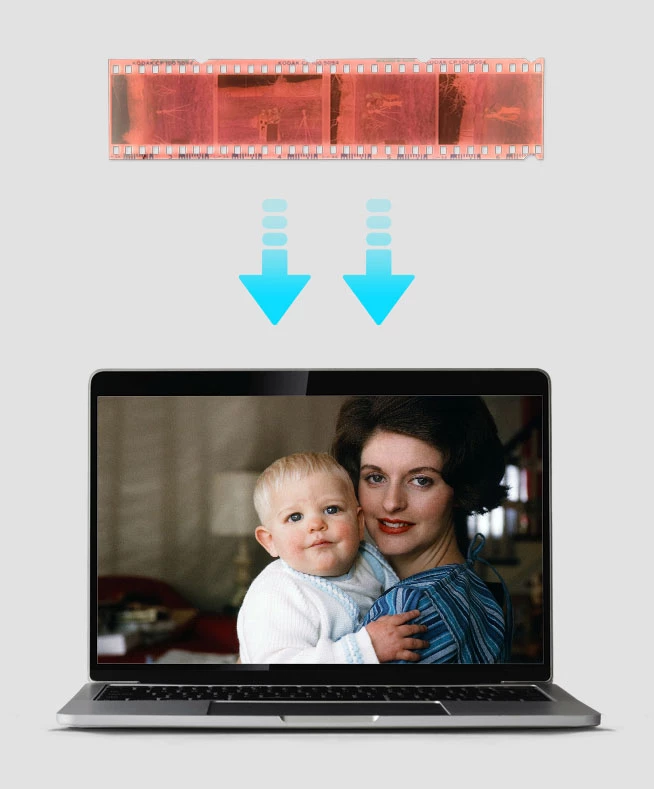
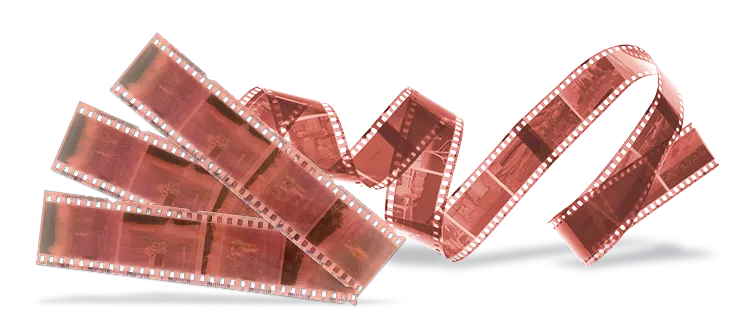
Your color negatives, even in protective sleeves, are in danger from the color shifting and scratching that can occur over time. We can scan your negatives to digital at ScanCafe and keep these memories safe from physical decay.
All you have to do is ship us your canisters and we will get to work converting your negative to digital for you

We start the important work of converting your precious old negatives to digital the moment they reach us. A technician will spend approximately four minutes per negative to ensure the upmost quality almost all of the time.Your film will be transferred at our Indianapolis lab with a 3-4 week turnaround time.
When we are done, we ship your negatives back to you and make their digitized images available for for digital download or USB drive.
At ScanCafe, we've designed our service from the ground up around the idea of a technician individually processing and correcting your images as needed.
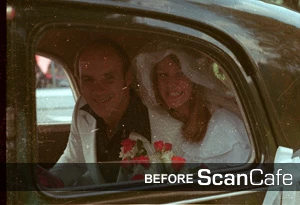
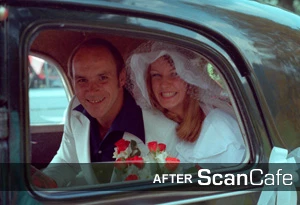
Scanning negatives to convert them to digital images is just one part of our negative scanning service. Beyond that, each image requires some amount of repair and correction since color slides inevitably experience color shifts and scratches over time (unless you've stored them in archival-quality, subzero conditions). We routinely carry out the following fixes to make your digitized negative images look their best.
In short, for our standard negative scanning service, a technician will spend approximately four minutes per negative addressing all of the problems above, and then some. Based on our experience scanning millions of negatives, this produces amazing quality almost all of the time, for just pennies per image. (Some negatives may be so damaged they require our expert photo restoration service, but that's relatively rare).
Chances are, your negatives are some of the most precious things you have. They're actually much more precious than prints of the same image, since the negatives will usually produce much better scans. And some images may only exist as negatives, making them all the more valuable.
So when you send your stash of negatives off to a negative scanning service, you expect them to be treated carefully. You want to be sure that the person on the other end really knows how to scan negatives. At ScanCafe, we understand that. Scanning negatives is a task that calls for extremely gentle handling, and even something as simple as identifying the right side to scan (i.e., the emulsion side) takes a trained touch. We never run your negatives through some automated correction process, where a piece of software guesses its way through a batch of your most important memories. All too often, however, that's just what other services do.
We are familiar with the intricacies of scanning 35mm negatives as well as other non-standard negative formats. We think that every single negative you send us should be examined, frame by frame, by a highly trained technician with a good eye and a terrific set of hands. In our experience, that really is the best way to scan negatives.
At ScanCafe, we give you the option of discarding up to 20% of the final order. Through all this, we make sure we are not cutting corners or compromising on quality in any way. So you don't have to make a hard choice between affordability and quality when it comes to preserving your memories. At ScanCafe, you can get both.
In theory, you can scan negatives at home if you own, or can rent a quality film scanner. But there's a substantial cost involved here in terms of personal time and this is something to consider when you are weighing the pros and cons of DIY versus using a professional scanning service. After all, spending priced weekend hours scanning many sets of negatives is nobody's idea of fun.
In addition, negatives require special handling because of how delicate they are. Black and white negatives contain grains of silver halide and this causes a buildup of tiny scratches over time. Dust particles also tend to be more entrenched and visible on black and white negatives. And so, apart from scanning time, you will have to factor in time required for editing out these blemishes.
Given ScanCafe's experience with scanning negatives, we can tackle these and other challenges in order to deliver optimally scanned and carefully repaired images to you at the end of the process.
If most of your photo collection is comprised of negatives, scanning them is preferred to prints because:
Yes, we can scan single negatives that have been cut from larger strips.
Unfortunately, no. We have found that our scanning process is operationally tighter and safer if we, as a matter of policy, scan all the images you submit. But this is one big reason we allow you to delete scans when you review your order: to help account for the fact that on a strip of negatives there may be images that you simply don't want--whether that's because of double exposures, duplicate or near-duplicate images, or frankly for any reason at all.
Please only use secure and sturdy boxes to ship your precious images. DON’T use flimsy department store boxes (e.g. Macy's or Nordstrom), Kleenex boxes, thin paper/cardboard boxes, moving boxes, or shoeboxes. In addition, you should never use bubble mailers because the contents will likely be damaged. Always be careful to fully tape up the box on the top and bottom. The UPS store or your local post office has appropriate shipping materials. Here are UPS guidelines for proper packaging: