Packing Tips for Scanning and How It Works
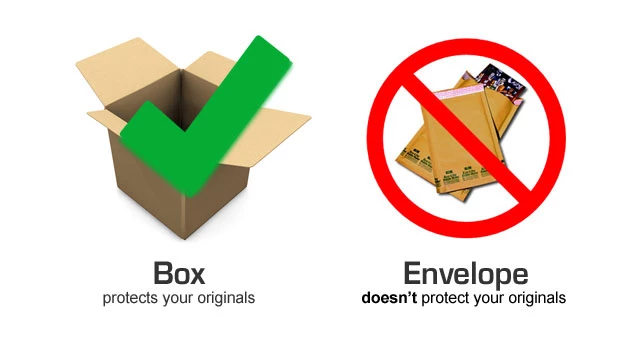
Always use a sturdy box to ship us your originals.
General packing tips
- Use a box, not an envelope
- Think twice about whether to organize your order.
- You don't have to make a precise count of your originals.
- Print three copies of your shipping label.
- Choose how you want to handle photo albums & carousels.
- Make sure your box is filled, even if you need to pad it.
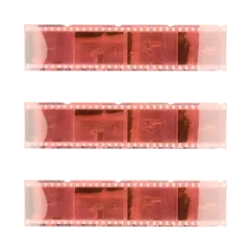
- Group negative strips with envelopes and ziploc bags.
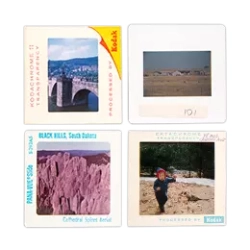
- Group slides using rubber bands, slide boxes, or aluminum-foil boxes.
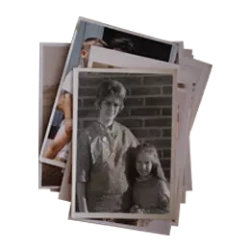
- Group paper photos and use as needed, a piece of cardboard.
We have found through long experience that the single best thing you can do to protect your originals (beside choosing a trustworthy scanning service, like ScanCafe) is to ship them in a sturdy box. By "sturdy", we mean the kind of box that books are usually shipped in. Double-walled construction, when it comes to cardboard boxes, is particularly handy. Occasionally, customers have sent us their originals in department-store garment boxes. Those should be avoided, as should padded envelopes, which are just as flimsy. In general, the sturdier your box, the safer your shipment.
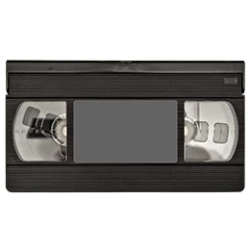
You may feel it essential to carefully decide which images to scan and which to leave aside. That can add a lot of time to your project, and get in the way of getting your memories preserved. Particularly with photos, slides, and negatives, you may find it much faster to organize the images once they are on your computer. For video and movie film, however, we do recommend you label your media before we digitize it.
We do ask you to estimate the size of your order, when you place it, but that is mainly to help us manage our work queue efficiently. Every single order at ScanCafe is opened, under video surveillance, and counted (and weighed) precisely. That said, we realize that some customers will want to make a precise count, and that's fine, too, if you have the time and the inclination.
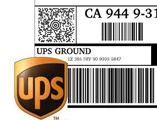
It took us a year of planning before we scanned our first order, and one of the things that we spent the most time on was integrating UPS into our logistics. So when you place your order, we'll ask you to print out three copies of a pre-addressed, bar-coded UPS shipping label. One copy goes on the outside of the box, one copy goes inside the box (in case your label on the outside gets smudged), and one copy is for your records.
We are happy to remove your originals from slide carousels and photo albums, scan them, and place them back, in the exact order. However, we do charge a small additional fee for carousels.
If you don't have bubble wrap or foam "peanuts" handy, some old newspapers are better than nothing. The main idea is that you don't want your originals to slide around in your box.
If you want to group and label your originals
If you group and label your originals inside your box, we will scan your order accordingly, and organize your USB along those same lines. (You could also do this organization after your receive your USB, the choice is yours.) For example, you could label one set of originals as "16th birthday" and another set of negatives as "Baby Pictures". Be sure to write legibly--printed all capitals is a good idea.
Simply place the negative strips/envelopes in Ziploc bags - the bags protect the film from moisture in transit. If your negatives are sitting in a portfolio binder, just send the entire binder. Our team will take the negatives out of the plastic sleeves and scan each negative strip (we cannot accommodate requests to scan individual images on a strip). Once scanned, we will then put the negatives back in the sleeves in the order they were received.
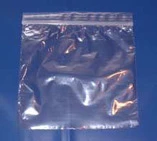
You can order resealable plastic bags online, as well as find them at the grocery store
Old aluminum foil or Saran Wrap boxes make excellent containers for slides. Also, you can stack the slides and keep them together with two sets of rubber bands. And these, too, should be wrapped in a ziploc bag, to seal out moisture.
Each group should go into a resealable plastic bag (some freezer bags even allow writing on them, which is handy for labeling). If you're sending 8" x 10" photos, it's probably a good idea to wrap them or back them with something stiff, like a piece of extra cardboard, to prevent bending that might occur en route.
Quick Facts
0
No. of minutes you have to spend organizing your order before you send it to us, at least for photo scanning orders.
Guaranteed. For Real.
The only cash-backed guarantee in the business. Follow these packing tips and your originals are protected by our $1,000 safe handling guarantee.
read the terms »

Resources
UPS Location Locator
There are over 50,000 UPS locations at which you can drop your ScanCafe order. Find the one nearest you.find a location »
Order Some Sturdy Boxes Online
Here's a link to a large shipping supplies company, though you'll need to buy more than one at a time.visit »
Quick Facts
16
Our shipping partner, UPS, handles nearly 16 million packages and documents per day.
source:UPS
Customers & Our Order Handling
"I just received the DVD and slides. I was impressed by two things. First, my slides came back in the same banded groups and in the same Ziploc bags, and with the same Post-It labels I had put on each, just as I sent them to you. Second, the DVD was organized the same way, the scans were very good, and each JPG was titled and numbered in the same sequence, even across groups, which made it very easy for me to transfer to my PC and rename groups as I needed to. Thank you for a very nice job. I will be readying my next set of slides for you to scan shortly."
- Michael W., Plano TX (February 2008)
"ScanCafe delivers on everything it promises! Great system all the way through - very easy to send everything in...the DVD was organized into folders just as I had requested, and you easily saved me 20-30 hours of work scanning these in myself...Thanks guys, and best wishes for all the success you deserve for putting together such a great service!!"
- Kevin H., Yardley PA (February 2008)
more testimonials »