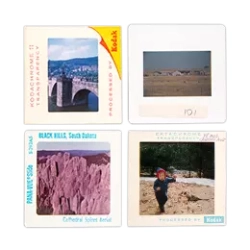
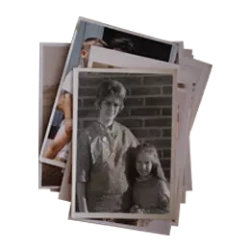
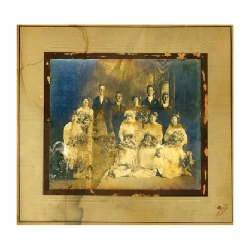
Resolution, in the world of scanners, tells you how much information is being extracted from your photo. That detail is measured in tiny dots called pixels, which are the smallest unit a computer can display. (The term comes from "picture" and "element".)
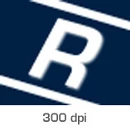
The scanning resolution, simulated here, affects how sharply the image will resolve, at a given size. All other things being equal, the lower your scanning resolution, the fuzzier your images will be when you enlarge them.
Practically speaking, the resolution of your scan determines how large you will be able to print or display your image and still have it be sharp, all other things being equal.
Because we think it's important that you get your scanning project done right the first time, we want you to be able to make good prints. Prints are the most demanding application for your image--much more so than displaying on a computer screen--and print projects like photo books often require enlargement of your photo, or even enlargement of just one part of it, as with cropping and zooming.
At ScanCafe, we're committed to giving you the ability to do all those things in the future that you might want to do with your images. So our scans are at resolutions that will let you print at least twice the original's size (in the case of paper photos), and up to 13" x 9", in the case of 35mm slides and negatives.
| FORMAT | SCANNABLE IMAGE SIZE | SCAN RESOLUTION | MAXIMUM PRINT SIZE |
|---|---|---|---|
| Any Photo | (Varies) | 600 dpi | At least twice the scannable image size |
| 4" x 6" Photo | 4" x 6" | 9 Megapixels | 15" x 10" |
| 35mm Negatives | 1.4" x 0.92" | 10 Megapixels | 13" x 9" |
| 35mm Slides | 1.4" x 0.92" | 10 Megapixels | 13" x 9" |
You may see us talk about resolution in two different ways. Sometimes, particularly when we know the size of the image you're sending us, we'll simply indicate how many pixels will be in the scan we do for you. If your scan has 7 million pixels, we'll say it has 7 "megapixels", or "MP", and that measure should be familiar to anybody with a digital camera. In other cases, where the size of the image you're sending in isn't something we know until we've received it, we quote the resolution of your scan in "dpi", or dots per inch. If you want to know the number of pixels in the scan we'll do for you, multiply the dots per inch of the scan times the length of the image (in inches), and again times the width of your image (in inches), and then multiply those numbers together. Divide by 1 million and you've got megapixels.
While resolution does contribute to the sharpness of your image when you print it or display it, many other factors are just as important or more so. The focus of the original picture is the single most important factor. Also, the optics of the scanner itself are quite important, and that's why we spend so much time researching and testing scanning equipment even though they all have quite similar resolution capabilities. We have found, like other experts, that the only reliable way to evaluate a scanner is to look critically at the scans it produces.
There's another reason resolution alone doesn't determine the quality of your scan, and that's simply that there can be too much of it. It is actually possible to extract too much information from a photo--so much so that you can begin to see the grain of the photo. This is a particular problem with paper photos, where we rarely recommend more than our usual resolution. In setting our resolution levels, we have tried to strike a balance between your need to do things in the future with your image and the chance that your scan might include too much grain, and after tens of millions of scans, we believe we have that balance just right.
One last related issue is color depth, which measures, in effect, how many distinct colors are possible in a scanned image. Scanners do this by assigning a certain amount of space in their computer memory for each type, or "channel" of colors (red, green, and blue, almost always). As with resolution, there are tradeoffs here as well, and our philosophy is to scan at what's called True Color, which is 8 bits of memory per channel. Since there are three channels, this is also referred to as "24-bit" color.
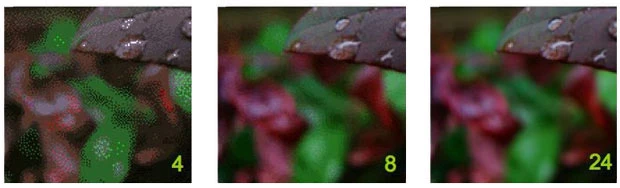
As the total bits devoted to displaying colors increases, the number of distinct reproducible colors increases. Beyond 24 bits, however, the potential improvements are relatively small.
Our team is equipped with high-resolution scanning equipment that allows us to efficiently digitize a large number of photos, slides, and negatives. We have streamlined processes in place to ensure that each item is carefully scanned and preserved. Our goal is to provide a reliable and efficient solution for customers with large scanning projects.
The turnaround time for a scanning project at ScanCafe depends on the volume of items being scanned. We understand the importance of timely delivery and strive to complete projects as quickly as possible without compromising the quality of the scans. Our team will provide an estimated timeframe based on the specific project details, and we work diligently to meet or exceed those expectations.
Yes, ScanCafe offers bulk and discount pricing for large scanning projects. We understand that larger projects typically require more time and resources, and we want to offer competitive pricing options for our customers. Our pricing structure takes into consideration the volume of items being scanned and offers discounts for larger quantities. We believe that preserving memories should be affordable and accessible to everyone, regardless of the size of the project.
2x
We scan at resolutions that will allow you to at least double the size of a paper photo. Scans of slides or negatives can be enlarged to 9" x 13".
13"
The maximum recommended width of a print from a standard negative or slide scan by ScanCafe.
We were thrilled to have OLD OLD OLD slides that were found in a garage put on a DVD for family members to see. The fact that we were able to peruse the images, then discard the ones we didn't want … was a HUGE plus. The DVD was beautiful, the cost was less than we had thought it would be and it has brought so many wonderful moments to all that have watched it
There is NO reason not to have all your wonderful memories put on DVD by ScanCafe, as they were very professionally done, in a timely manor, and the cost was better than expected.
- Barb H., Sarasota FL (August 2008)
more testimonials »
17
There are 16.8 million colors representable in the scans that ScanCafe makes.