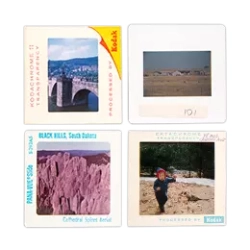
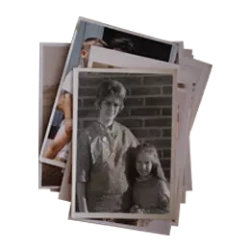
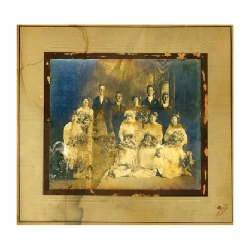
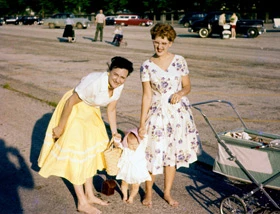
Over time, it’s common for slides, negatives, prints, and videos to shift in color, fade, and get damaged. Professional scanning preserves these precious memories so you can share them for years to come.
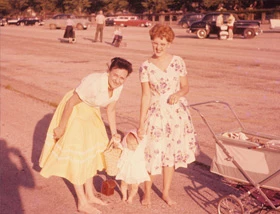
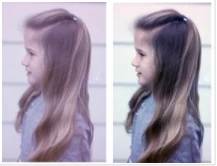
The original (left) exhibits a classic magenta shift, caused by the early decay of the cyan dye. Fortunately, it can be corrected digitally (right), using our standard service. Photo: our customer LTC Kane.
Slides, negatives, and prints are all subject to color changes, even when stored in the dark. The two main effects are color shifting and a yellowish haze over the image. Although fading may take longer than photos exposed to light, this damage can happen unbeknownst to you unless you make a habit of looking at your stored photos on a regular basis. (We’re guessing not!)
The chromogenic process used in traditional color prints is unstable, and therefore vulnerable to chemical reactions. In fact, this type of image begins to degrade as soon as the photo is printed! When photos are subjected to nearly any kind of visible light, this accelerates fading. Typically, two effects occur: a loss of detail in general, particularly in the highlights, and color shifting. Magenta (red) dye is most unstable when exposed to light, compared to the other two dyes (cyan/blue and yellow), so it’s common for older photos to have a slightly greenish tint.
Prior to the availability of scanning and digital photography software, nothing could be done to salvage faded photos. Today, many images that have deteriorated can be scanned and then digitally adjusted using a variety of photographic management software tools. But if your photos are severely faded, it can be challenging to bring them back to life. That’s why it's better to scan your images as soon as possible rather than waiting until it’s too late.
Consider getting traditional photos digitized by a professional service. At ScanCafe, our technicians can manually restore colors, contrast, and brightness in photos so they look as good if not better than their original state—unless fading or color shifting is extreme.
Although image correction software (e.g. Adobe Photoshop) is an essential tool to preserve photo memories at home, this takes a good deal of time, financial investment, and trial and error. It isn’t possible to run a piece of software blindly on a batch of photos and hope for the best (as many of our competitors do). At ScanCafe, we look at every single image you send to us, then correct it according to what we see. Trusting your memories to a professional photo scanning service with vast experience provides peace of mind that comes with knowing your past is preserved in beautiful digital images you can print and share whenever you wish.
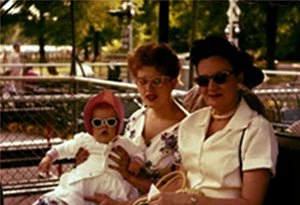
Scanning - What we call a "raw" scan.
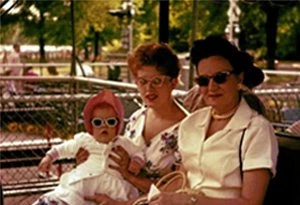
Correction software used by many scanning services
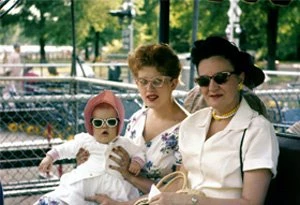
Corrected manually by ScanCafe technicians
The only cash-backed guarantee in the business. Follow our easy packing instructions and your originals are protected by our $1,000 safe handling guarantee.
read the terms »

The cost of photo color correction services at ScanCafe may vary depending on the extent of the correction needed and the number of photos to be corrected. For a more accurate estimate, it is best to contact ScanCafe directly and provide them with details about your specific needs.
Yes, photo color correction is definitely worth it, especially for preserving precious memories that may have faded or suffered color shifting over time. ScanCafe offers professional scanning and color correction services to ensure that your photos look as good, if not better, than their original state. By having your photos digitally adjusted and restored, you can enjoy and share them with others for years to come, without worrying about further deterioration.